
If you’re building a new website in 2025, chances are you’re stuck between two giants: Webflow and WordPress. Both are powerful, both are popular — but they serve very different needs. In this guide, we break everything down so you can make the right call.
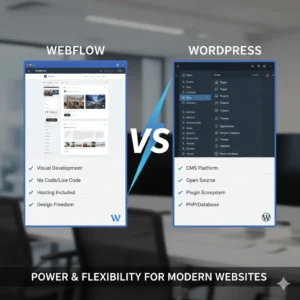
Webflow is a visual web design platform that lets designers and developers build fully custom, production-ready websites without writing code from scratch. It combines a visual editor, a CMS, and hosting — all in one place.
It’s the go-to choice for agencies, SaaS companies, and startups that want pixel-perfect design with blazing fast performance.
WordPress powers over 40% of all websites on the internet. It started as a blogging platform but has grown into a full content management system that handles everything from simple blogs to enterprise e-commerce stores.
WordPress is open-source, free to use, and has a massive ecosystem of plugins and themes.
Webflow has a steeper learning curve. It’s built for designers who understand layout, spacing, and visual hierarchy.
WordPress is easier to get started with — especially with page builders like Elementor. However, managing plugins, updates, and security can get complicated over time.
Winner: WordPress for beginners. Webflow for designers who want full control.
📸 Image 2 yahan lagao Pexels search: “web design creative agency” Alt Text: Webflow design freedom and customization
This is where Webflow dominates. Every element is completely customizable — no theme limitations, no plugin conflicts. You design exactly what you imagine.
WordPress is limited by your theme. Custom designs often require heavy customization or expensive premium themes.
Winner: Webflow — hands down.
Webflow sites are hosted on AWS and Fastly CDN by default. Pages load fast without any optimization plugins needed.
WordPress sites can be fast — but only with caching plugins, image optimization, good hosting, and active maintenance.
Winner: Webflow for out-of-the-box speed.
Both platforms are excellent for SEO. Webflow gives you full control over meta tags, schema, and clean semantic HTML — all built in. WordPress with Rank Math or Yoast is equally powerful.
Winner: Tie — both are excellent with the right setup.
WordPress with WooCommerce is the king of e-commerce. It handles complex stores, subscriptions, and integrates with every payment gateway.
Webflow has its own e-commerce system but it’s limited for large stores.
Winner: WordPress for serious e-commerce.
| Webflow | WordPress | |
|---|---|---|
| Platform | $14–$39/month | Free |
| Hosting | Included | $5–$30/month |
| Plugins/Themes | Minimal | $0–$700/year |
| Maintenance | Very Low | Medium–High |
Webflow requires almost zero maintenance — no plugin updates, no security patches.
WordPress requires regular updates and active security management.
Winner: Webflow for hands-off maintenance.

There is no universal winner — it depends on your goals. For design-focused businesses and startups, Webflow is the smarter choice in 2025. For large e-commerce and content-heavy sites, WordPress remains unbeatable.
At Giga Creatives, we specialize in building high-performance Webflow websites that look stunning and convert visitors into clients. Whether you’re migrating from WordPress to Webflow or starting fresh, our team is ready.
Ready to build your Webflow website? Contact us today — we’ll get back to you within 24 hours.


