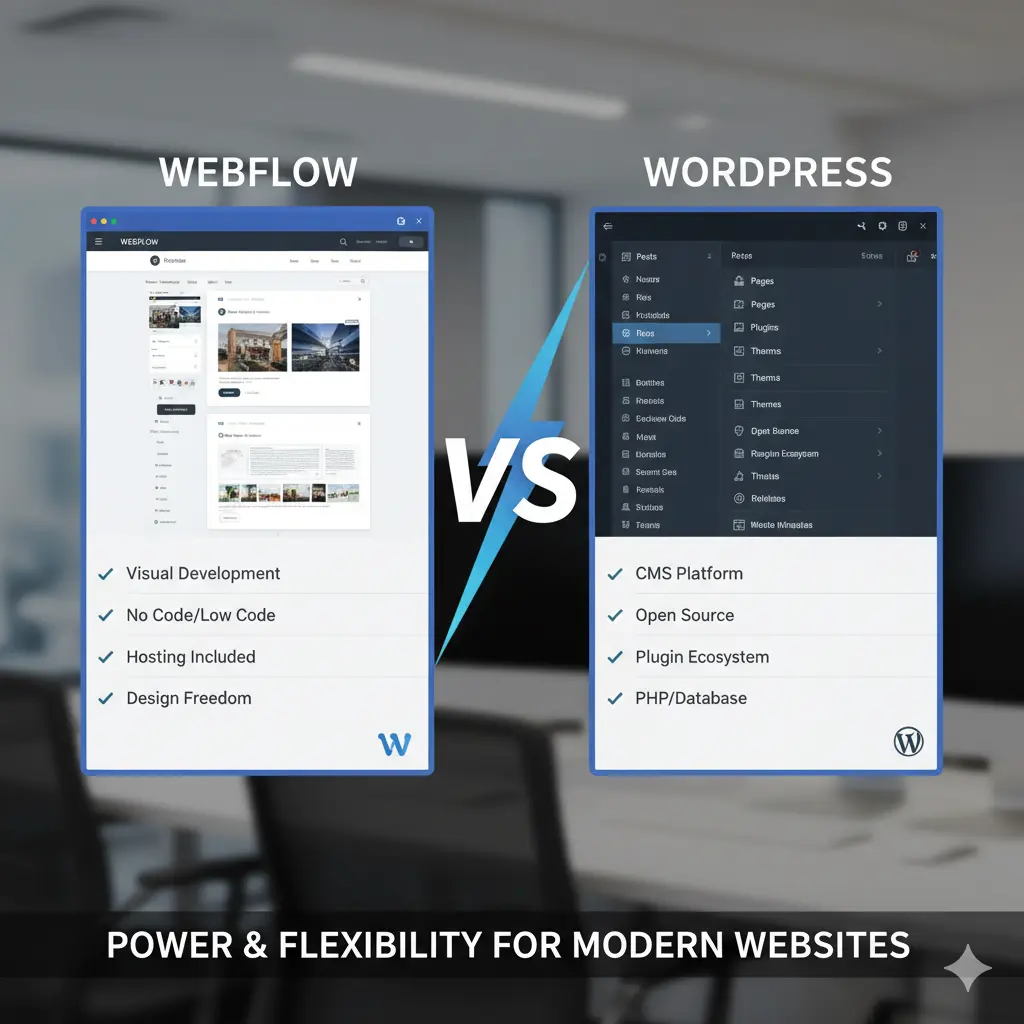
Webflow vs WordPress in 2026: Which One is Right for Your Business?

If you’re building a new website in 2025, chances are you’re stuck between two giants: Webflow and WordPress. Both are powerful, both are popular — but they serve very different needs. In this guide, we break everything down so you can make the right call.
Webflow vs WordPress 2026 Comparison

What is Webflow?

Webflow is a visual web design platform that lets designers and developers build fully custom, production-ready websites without writing code from scratch. It combines a visual editor, a CMS, and hosting — all in one place.

It’s the go-to choice for agencies, SaaS companies, and startups that want pixel-perfect design with blazing fast performance.

What is WordPress?

WordPress powers over 40% of all websites on the internet. It started as a blogging platform but has grown into a full content management system that handles everything from simple blogs to enterprise e-commerce stores.

WordPress is open-source, free to use, and has a massive ecosystem of plugins and themes.

Webflow vs WordPress: Head-to-Head Comparison

1. Ease of Use

Webflow has a steeper learning curve. It’s built for designers who understand layout, spacing, and visual hierarchy.

WordPress is easier to get started with — especially with page builders like Elementor. However, managing plugins, updates, and security can get complicated over time.

Winner: WordPress for beginners. Webflow for designers who want full control.

2. Design Freedom

📸 Image 2 yahan lagao Pexels search: “web design creative agency” Alt Text: Webflow design freedom and customization

This is where Webflow dominates. Every element is completely customizable — no theme limitations, no plugin conflicts. You design exactly what you imagine.

WordPress is limited by your theme. Custom designs often require heavy customization or expensive premium themes.

Winner: Webflow — hands down.

3. Performance and Speed

Webflow sites are hosted on AWS and Fastly CDN by default. Pages load fast without any optimization plugins needed.

WordPress sites can be fast — but only with caching plugins, image optimization, good hosting, and active maintenance.

Winner: Webflow for out-of-the-box speed.

4. SEO Capabilities

Both platforms are excellent for SEO. Webflow gives you full control over meta tags, schema, and clean semantic HTML — all built in. WordPress with Rank Math or Yoast is equally powerful.

Winner: Tie — both are excellent with the right setup.

5. E-Commerce

WordPress with WooCommerce is the king of e-commerce. It handles complex stores, subscriptions, and integrates with every payment gateway.

Webflow has its own e-commerce system but it’s limited for large stores.

Winner: WordPress for serious e-commerce.

6. Cost

Webflow WordPress
Platform $14–$39/month Free
Hosting Included $5–$30/month
Plugins/Themes Minimal $0–$700/year
Maintenance Very Low Medium–High

7. Maintenance

Webflow requires almost zero maintenance — no plugin updates, no security patches.

WordPress requires regular updates and active security management.

Winner: Webflow for hands-off maintenance.

Choosing between Webflow and WordPress for your business

When Should You Choose Webflow?

  • You want a beautiful, custom-designed website
  • You need fast loading speeds without technical work
  • You are a startup, SaaS company, or creative agency
  • You value pixel-perfect design above everything else
  • You want low maintenance and reliable hosting included

When Should You Choose WordPress?

  • You need a complex e-commerce store
  • You want unlimited plugin flexibility
  • You have a large content team managing daily updates
  • You need specific third-party integrations
  • You are working with a tight initial budget

Final Verdict

There is no universal winner — it depends on your goals. For design-focused businesses and startups, Webflow is the smarter choice in 2025. For large e-commerce and content-heavy sites, WordPress remains unbeatable.

At Giga Creatives, we specialize in building high-performance Webflow websites that look stunning and convert visitors into clients. Whether you’re migrating from WordPress to Webflow or starting fresh, our team is ready.

Ready to build your Webflow website? Contact us today — we’ll get back to you within 24 hours.

What is Figma? The Ultimate Guide to Collaborative Design

Figma is a best UI/UX design tool of the fast paced world for web designer. Today, designers, developers and teams the world over use it for its powerful collaborative capabilities provided by a shared cloud-based system. What, then, is Figma and what does it do to reinvent the current state of design work?

1. What is Figma?

Figma is an online design tool which works so seamlessly that you might never notice a difference compared to your desktop design tools. Figma is the first of its kind — a digital design platform that allows for real-time collaboration, unlike traditional desktop applications which are only utilized by one person, occuring outside of each other.

This solution offers tools for all types of design, from UI/UX design to prototyping, wireframing, and user interface creation. Having a feature to collaborate in real time with others team members gives the best design workflow experience.

2. Why Choose Figma?

Accessibility — being cloud-based Figma can be used on any device (laptop, desktop or tablet) regardless of its operating system This flexibility eliminates the traditional constraints of desktop applications.

Collaboration — Multiple Editors can work on the same project at the same time with Figma. And since one of the value added features is live editing, Figma becomes an interesting tool to design teams which want to give real time feedbacks or brainstorm ideas and be able to work remotely without confusion among file versions.

Version Control: every changes made to the file is saved by Figma in its version history which can be used for following from each point of designing and reverting back to previous versions if needed.

Design: End-to-end Design Tool- You can wireframing and high-fidelity prototypes in Figma. It is a comprehensive platform with design, prototyping and communication tools of its own.

3. Key Features of Figma

Vector Networks — A vector editing tool in Figma that is more powerful and easy to use than a regular pen tool.

Design Collaboration: Teams Designed Together Everyone gets to see the changes making quick feedback and non-sequential collaboration possible.

Interactive Prototypes: Figma lets designers make interactive prototypes of their designs meaning rather than just design mockups, you can create clickable flows that you can share with clients or developers to provide feedback on how the product is going to work.

Figma: has native support for building and managing design systems, which allows various teams to reuse components, styles, and assets across projects and create proper uniform interfaces.

Cross Casino Compatibility: You can open Figma from your PC, Mac or even a tablet too as it works anywhere you are with no downloads and installations.

4. Who Should Use Figma?

Professionals and teams ranging from

UI/UX Design — Wireframes, prototypes and user flows

Designers: Collaboratively designing and testing interfaces.

Design Teams: Work Together in Real-time

> Developers: access design files, export assets & get CSS code

5. Figma against all Design Tools

Figma vs Sketch — Despite being the other hot design tool, Sketch is only available on macOS and lacks the real-time collaboration features enabled by Figma. Many of the functions that Figma provides out of the box require third party plugins in sketch.

Use Figma if: If you can afford only one tool, pay for Figma over SketchAdobe XD is a worthy challenger to Figma with solid design and prototyping abilities. Still, Figma allows teams to easily collaborate in real-time and benefits from the moving of design tools to the Cloud.

6. Why Figma popular for remote teams

In this era of remote working Figma has proved to be an indispensable tool for teams. And the ability to collaborate in real-time — whether across the office or around the globe — can give teams a competitive advantage in terms of productivity and efficiency. Figma does this all in the browser with a stellar user experience and since it supports comments, sharing and operates on cloud storage, Figma minimizes the back-and-forth of endless file exchanges or marathon design meetings.

7. Getting Started with Figma

Figma has an indivisual free tier, which lets you get your hands dirty without anyone bothering you. Paid versions offer more, with additional collaboration tools and a larger amount of storage space for them as well as team management features.

To get started:

Go to the Figma website and create an account.

Start a new project — “Cleanly” or by using Figma templates to save your time.

Learn the design creation, prototyping and team collab features of Figma

8. Conclusion

Figma has brought a change into how design teams work together, making the whole procedure easier and faster. Thus, it is not surprising that Figma has found its large audience among UI/UX designers and teams around the world due to the fact that it is web based, collaborative in real time, and has many design tools to offer which can further enhance the design features made within the program.

Figma enhances creativity and increases effective work and production irrespective of the number of designers in the team or whether it’s just one person working alone, than conventional methods of designing and providing designing tools.


DevLogicsExpert WordPress Development Agency

Optimize Your Site for Success: WordPress Website Performance Audit Services

Is your WordPress website struggling to keep up with the demands of modern online users? Are slow loading times, high bounce rates, and poor search engine rankings holding your site back from reaching its full potential? It may be time to consider a comprehensive WordPress Website Performance Audit.

1. Top 10 Web Design Trends for 2024: What to Expect in the Digital World

Our WordPress Website Performance Audit Services are designed to identify and address the underlying issues that are hindering your site's performance. Our team of experienced professionals will conduct a thorough examination of your website, analyzing factors such as page loading times, server response times, code efficiency, plugin usage, and more.

1. Through a combination of automated tools and manual inspection, we'll pinpoint areas of improvement and provide you with actionable recommendations to optimize your site's performance. From fine-tuning server configurations to optimizing image sizes and minifying CSS and JavaScript files, we'll implement strategies to ensure that your site loads quickly and smoothly on all devices.

2. But our services don't stop there. We'll also assess the security of your WordPress installation, checking for vulnerabilities and recommending best practices to protect your site from hackers and malware. Additionally, we'll review your site's usability and accessibility, ensuring that it provides a seamless experience for all visitors, regardless of their device or browsing preferences.

3. By investing in our WordPress Website Performance Audit Services, you'll not only improve the user experience of your site but also enhance its search engine visibility and drive more traffic and conversions. Don't let a sluggish website hold your business back – let us help you unlock its full potential and achieve online success.

4. Gradient: The use of gradient colors will make a strong impact on web design in 2024, adding depth and dimension to websites.

5. Ready to take your WordPress website to the next level? Contact us today to learn more about our performance audit services and how we can help you optimize your site for success.

2. The Psychology Behind User Behavior and Engagement in Web Design

Understanding user behavior and engagement is essential in creating successful web designs that resonate with your target audience. In 2024, web designers can expect to see a continued focus on user experience (UX) and aesthetics as top priorities in web design trends. With the adoption of AI-generated designs and personalized experiences, websites will become more animated and interactive, aiming to keep visitors engaged and create immersive experiences.

One of the key aspects of user behavior in web design is the way users interact with the website, particularly how they scroll and navigate through the site. Designers will need to pay close attention to the layout, navigation bar, and interactive elements to ensure a seamless and enjoyable experience for users. Additionally, the use of white space, typography, and color palettes will play a significant role in creating clean and minimalist designs that make a strong impact.

Table of Contents

Get a Quote